

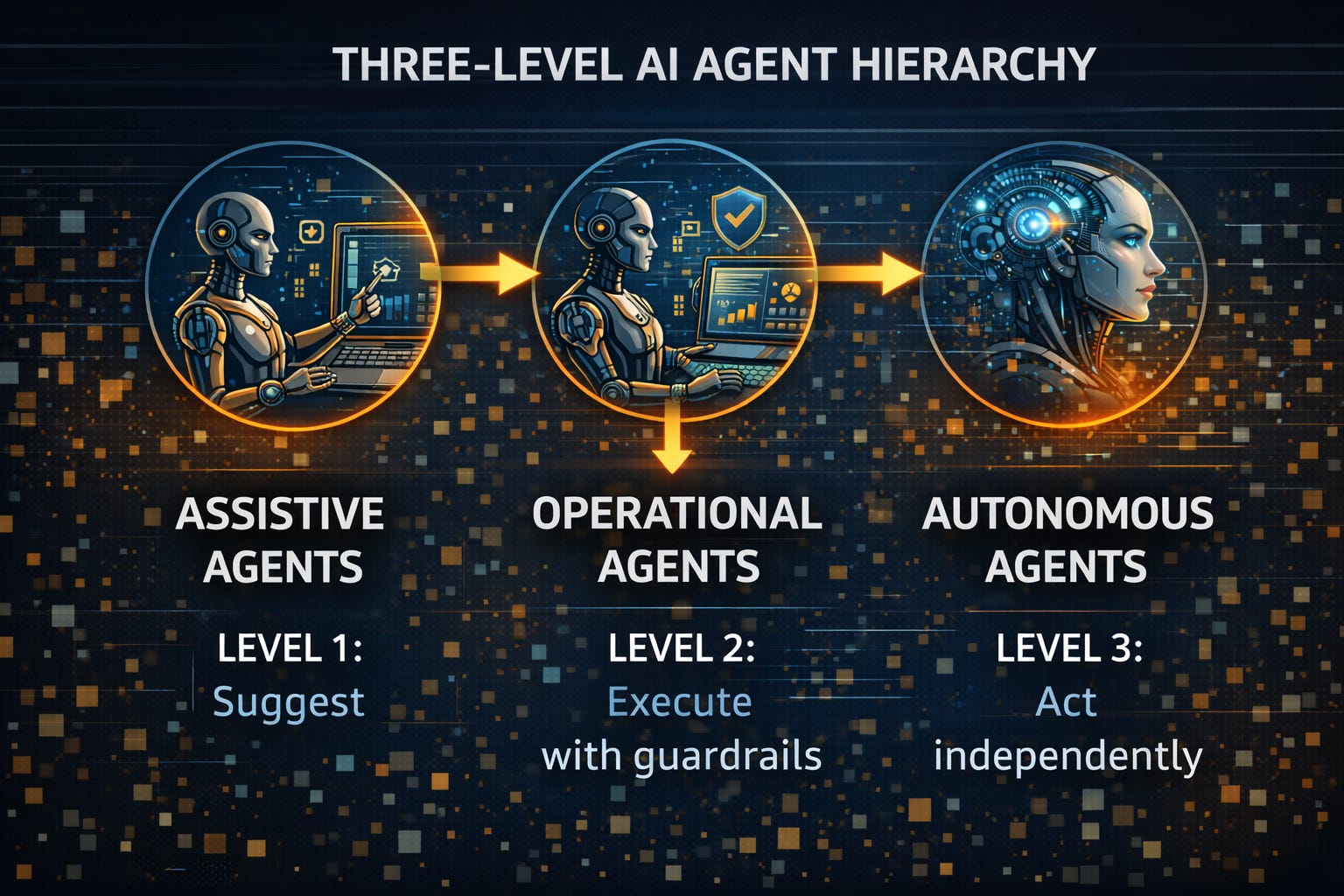
Not all AI agents are created equal. The businesses failing in 2026 are jumping straight to autonomous systems without building trust and proving ROI. The winners? They’re climbing a three-level hierarchy: assistive, operational, autonomous. Each level has specific tools, costs, and ROI thresholds. Here’s how to climb it without falling
10 KEY TAKEAWAYS - THE THREE-LEVEL AGENT HIERARCHY
Three distinct levels exist: Assistive agents (Level 1) suggest, operational agents (Level 2) execute with guardrails, autonomous agents (Level 3) act independently.
Always start at Level 1: Businesses that skip to Level 3 have 3x higher failure rates—trust must be earned, not assumed.
Level 1 costs $20-30/user monthly: Microsoft Copilot, Claude Pro, Gemini Advanced deliver 2-5 hours weekly savings for knowledge work.
Level 2 costs $50-300/month: Zapier Central, Lindy.ai, Make.com automate workflows with human oversight, saving 8-15 hours weekly.
Level 3 requires governance first: Autonomous agents need bounded autonomy, clear escalation paths, and continuous monitoring, not unlimited freedom.
ROI determines graduation: Move to the next level only after achieving positive ROI at the current level for 30+ days.
The formula matters: (Hours Saved × Loaded Cost + Revenue Impact - Software Cost - Maintenance) / Total Cost × 100
Progressive deployment wins: Draft mode for 2-4 weeks, limited autonomy for low-risk scenarios, full autonomy only after 50+ successful interactions.
One workflow per level: Deploy one Level 1 agent, prove value, then add a second. Never deploy multiple levels simultaneously.
Level doesn’t equal sophistication: The best AI platform at Level 3 will fail if your data isn’t clean (Post 2) and workflows aren’t documented.
📚 READING PREREQUISITES
This is Post 3 of a 12-part series on AI agent implementation for small businesses. This post assumes you understand the 80/20 rule from Post 1 and have completed the data cleanup from Post 2. Without clean data, even Level 1 agents will produce inconsistent results.
Recommended Prior Reading:
Post 1: The 2026 AI Agent Reality Check - Understanding why 2026 is the inflection point
Post 2: The Data Kitchen Audit - 6-8 hour data cleanup protocol before deploying any agent
Series Navigation:
Post 1: The 2026 Reality Check
Post 2: The Data Kitchen Audit
Post 3: Three-Level Agent Hierarchy (You are here)
Post 4: Your First Agent - Customer Service (Coming next week)
View all 12 posts
Why the Three-Level Framework Exists
Here’s what the AI vendor pitch sounds like in 2026: “Deploy our autonomous agent and save 40 hours per week immediately!” Here’s what actually happens: You skip the foundation, deploy an autonomous system, it makes a visible mistake within 48 hours, your team loses trust, and the entire project gets shelved.
The three-level hierarchy isn’t arbitrary. It’s the pattern that emerged from analyzing successful deployments in January 2026. Businesses achieving 5-10x ROI follow a specific sequence. Those failing skip straight to autonomy without earning trust.
Think of it like learning to drive: You don’t start on the highway at night in the rain. You start in an empty parking lot with an instructor. Then residential streets. Then highways during the day. Then, after proving competence, you drive independently.
AI agents work the same way. The three levels represent increasing autonomy, increasing risk, and increasing value—but only when you climb them in order.
Level 1: Assistive Agents (The Foundation)
What Level 1 Agents Do
Level 1 agents are copilots. They suggest, draft, analyze, and summarize, but humans always approve before anything ships. Think of them as the world’s most capable intern: they do the grunt work, you review and refine.
Common Level 1 use cases:
Drafting customer emails (you edit and send)
Summarizing long documents or meeting transcripts
Analyzing data and creating initial reports
Generating first drafts of proposals or content
Researching topics and compiling information
Creating meeting agendas from notes
The critical characteristic: humans always have final approval. The agent proposes, you dispose.
The Best Level 1 Tools for Small Business (2026)
Microsoft Copilot - $30/user/month
Best for: Teams already using Microsoft 365
Integrates with: Word, Excel, PowerPoint, Outlook, Teams
Typical time savings: 3-5 hours per week per user
ROI timeline: 2-3 weeks with active use
Claude Pro - $20/month
Best for: Analysis, writing, research-heavy work
Strengths: Long documents, complex analysis, nuanced writing
Typical time savings: 2-4 hours per week
ROI timeline: 1-2 weeks for knowledge workers
Google Gemini Advanced - $20/month
Best for: Teams in Google Workspace
Integrates with: Gmail, Docs, Sheets, Slides
Typical time savings: 2-4 hours per week
ROI timeline: 2-3 weeks
ChatGPT Plus - $20/month
Best for: General-purpose assistance, coding, image generation
Strengths: Broad capability, large plugin ecosystem
Typical time savings: 2-5 hours per week
ROI timeline: 1-2 weeks
Level 1 ROI Calculation
Here’s the math for a typical small business deployment:
Example: 5-person team, each using Microsoft Copilot
Costs:
Software: $150/month (5 users × $30)
Training/setup: 2 hours per person = 10 hours total (one-time)
Monthly maintenance: ~1 hour per month
Benefits:
Time savings: 4 hours/week per person = 20 hours/week = 80 hours/month
Loaded hourly cost: $40/hour (average for small business knowledge workers)
Monthly value: 80 hours × $40 = $3,200
ROI Calculation:
($3,200 - $150) / $150 × 100 = 2,033% ROI
Payback period: 1.4 weeks
When to Graduate from Level 1 to Level 2
Move to Level 2 operational agents when you’ve achieved ALL of these:
Positive ROI for 30+ consecutive days at Level 1
Team actively using Level 1 agents daily (not just installed and forgotten)
Identified at least 3 “dead air” workflows from Post 2
Data cleanup from Post 2 is complete
Team trusts AI suggestions and rarely rejects them entirely
Don’t rush this. Level 1 builds the trust and habits needed for Level 2 success.
Level 2: Operational Agents (The Workhorse)
What Level 2 Agents Do
Level 2 agents execute workflows with guardrails. They act on your behalf, but within clearly defined boundaries. Think of them as an employee with a checklist: they do the work, but escalate anything outside their scope.
Common Level 2 use cases:
Auto-responding to simple customer inquiries (with escalation rules)
Qualifying and routing leads from web forms
Sending payment reminders on schedule
Updating CRM records based on email interactions
Scheduling meetings based on calendar availability
Categorizing and routing support tickets
Generating and sending weekly reports
The critical characteristic: bounded autonomy with escalation paths. The agent acts independently within defined limits, but knows when to ask for help.
The Best Level 2 Tools for Small Business (2026)
Zapier Central - $99-$299/month (for AI features)
Best for: Teams already using Zapier for automation
Connects to: 6,000+ apps and services
Typical time savings: 10-15 hours per week
ROI timeline: 3-4 weeks
Strengths: Mature platform, extensive integrations, visual workflow builder
Lindy.ai - $49-$299/month
Best for: Small teams wanting pre-built AI agents
Use cases: Email management, scheduling, research, CRM updates
Typical time savings: 8-12 hours per week
ROI timeline: 2-3 weeks
Strengths: No-code setup, fast deployment, email-centric workflows
Make.com - $9-$299/month
Best for: Visual thinkers who want to see workflow logic
Connects to: 1,500+ apps
Typical time savings: 8-15 hours per week
ROI timeline: 3-5 weeks
Strengths: Visual workflow builder, affordable entry point, flexible logic
Relevance AI - Custom pricing (starts ~$199/month)
Best for: Data-heavy workflows requiring analysis
Use cases: Report generation, data enrichment, research automation
Typical time savings: 10-20 hours per week
ROI timeline: 4-6 weeks
Strengths: Handles complex data workflows, built for business intelligence
Level 2 ROI Calculation
Here’s the math for a typical operational agent deployment:
Example: Customer service agent handling FAQs
Costs:
Software: $74/month (Tidio customer service agent)
Setup time: 8 hours (data cleanup, FAQ creation, testing)
Monthly maintenance: 2 hours per month
Benefits:
Handles 60% of 100 weekly inquiries = 60 inquiries automated
Time per inquiry manually: 15 minutes
Time saved: 60 × 15 min = 15 hours per week = 60 hours per month
Loaded hourly cost: $25/hour (support staff cost)
Monthly value: 60 hours × $25 = $1,500
Revenue impact: Faster responses increase conversions by 5% = $300/month
ROI Calculation:
($1,500 + $300 - $74 - $50 maintenance) / $74 × 100 = 2,251% ROI
Payback period: 1.4 days
When to Graduate from Level 2 to Level 3
Move to Level 3 autonomous agents when you’ve achieved ALL of these:
Sustained positive ROI at Level 2 for 90+ days
Escalation rate below 10% (agent handles 90%+ of scenarios independently)
Zero customer complaints about agent interactions in past 30 days
Governance framework in place (Post 8 topic)
Clear business case for full autonomy (not just “because we can”)
Many small businesses never need Level 3. Level 2 with proper guardrails delivers 80%+ of the value with fraction of the risk.
Level 3: Autonomous Agents (High Risk, High Reward)
What Level 3 Agents Do
Level 3 agents act fully independently within their domain. They make decisions, execute actions, and only escalate exceptional cases. Think of them as a trusted employee who runs their department without supervision.
Common Level 3 use cases:
Voice agents handling inbound sales or support calls end-to-end
Autonomous appointment scheduling with complex logic
Financial reconciliation and reporting without review
Dynamic pricing adjustments based on market conditions
Automated hiring pipeline management
Inventory ordering based on predictive analytics
The critical characteristic: full decision-making authority within bounded domain. The agent owns outcomes, not just tasks.
The Best Level 3 Tools for Small Business (2026)
Synthflow - $199-$899/month
Best for: Voice-based customer interactions (sales, support)
Use cases: Inbound call handling, appointment booking, lead qualification
Typical time savings: Variable (replaces 0.5-2 FTE)
ROI timeline: 6-12 weeks
Strengths: Natural voice interactions, 24/7 availability, handles interruptions
Microsoft Copilot Studio - Included with Copilot licenses + usage fees
Best for: Building custom autonomous workflows in Microsoft ecosystem
Use cases: Custom business process automation, intelligent routing, data orchestration
Typical time savings: Variable based on workflow complexity
ROI timeline: 8-16 weeks
Strengths: Deep Microsoft 365 integration, enterprise-grade security
Salesforce Agentforce - Custom pricing (starts ~$2/conversation)
Best for: Businesses already using Salesforce CRM
Use cases: Autonomous customer service, sales processes, service workflows
Typical time savings: Replaces 1-3 FTE depending on deployment
ROI timeline: 12-20 weeks
Strengths: Native CRM integration, proven at enterprise scale
Level 3 ROI Calculation
Here’s the math for an autonomous voice agent deployment:
Example: Voice agent handling appointment scheduling
Costs:
Software: $399/month (mid-tier voice agent platform)
Setup time: 40 hours (workflow design, training data, testing)
Monthly maintenance: 5 hours per month
Usage fees: ~$100/month (per-call or per-minute charges)
Benefits:
Handles 400 scheduling calls per month (previously manual)
Time per call manually: 8 minutes average
Time saved: 400 × 8 min = 3,200 minutes = 53 hours per month
Loaded hourly cost: $30/hour (admin staff cost)
Monthly value: 53 hours × $30 = $1,590
24/7 availability increases bookings by 12% = $600/month revenue impact
ROI Calculation:
($1,590 + $600 - $399 - $100 - $150 maintenance) / $499 × 100 = 308% ROI
Payback period: 9.7 days
Critical Level 3 Guardrails
Before deploying any Level 3 agent, you MUST have:
Bounded autonomy: Agent can only act within specific, defined scenarios
Escalation triggers: Clear rules for when agent must route to humans
Audit logging: Every decision and action recorded for review
Performance monitoring: Real-time dashboards showing success/failure rates
Emergency stop: Ability to pause agent within 60 seconds if issues arise
Governance framework: Documented policies, approval workflows, responsibility assignment
According to Gartner research, organizations that deploy autonomous agents without these guardrails have 4x higher failure rates.
The Progressive Deployment Framework
Regardless of which level you’re deploying, follow this sequence to maximize success rates:
Phase 1: Draft Mode (Weeks 1-2)
Agent suggests actions, human approves every single one
Review 20-30 interactions minimum before advancing
Track accuracy rate, response quality, edge cases encountered
Refine prompts, add FAQ entries, improve training data
Success criteria: 95%+ of suggestions require minor or no edits
Phase 2: Limited Autonomy (Weeks 3-4)
Agent acts independently for low-risk scenarios only
Human review required for: complaints, refunds, pricing questions, technical issues
Monitor daily for first week, then weekly
Track escalation rate, customer satisfaction, error rate
Success criteria: Escalation rate below 15%, zero customer complaints, time savings measurable
Phase 3: Full Autonomy (Week 5+)
Agent handles all scenarios within its domain
Escalation path remains for edge cases
Weekly performance reviews
Continuous refinement based on edge cases
Success criteria: Sustained positive ROI, escalation rate below 10%, customer satisfaction maintained or improved
The ROI Formula That Determines Everything
Use this formula at every level to decide when to advance:
ROI = (Value Created - Total Cost) / Total Cost × 100
Where:
Value Created = (Hours Saved × Loaded Hourly Cost) + Revenue Impact
Total Cost = Software + Setup Time + Monthly Maintenance
Loaded Hourly Cost includes:
Base salary / 2,080 hours
+ Benefits (typically 30-40% of salary)
+ Overhead (office, equipment, typically 20-30%)
Example calculation:
Employee earns $50,000/year
Benefits: $15,000 (30%)
Overhead: $12,500 (25%)
Total loaded cost: $77,500/year ÷ 2,080 hours = $37.26/hour
If an agent saves this employee 5 hours per week:
Weekly value: 5 × $37.26 = $186.30
Monthly value: $186.30 × 4.33 = $806.68
If agent costs $99/month:
ROI = ($806.68 - $99) / $99 × 100 = 714% ROI
Payback period: 4.4 days
Common Mistakes That Kill Multi-Level Deployments
Mistake 1: Skipping Level 1
Businesses that deploy Level 2 or Level 3 without Level 1 experience have 3x higher failure rates. Why? Teams don’t trust AI suggestions because they’ve never seen AI work reliably.
Fix: Spend 30-60 days at Level 1, even if it seems “too simple.” Build trust first.
Mistake 2: Deploying multiple levels simultaneously
One business deployed Level 1 Copilot, Level 2 customer service agent, and Level 3 voice agent in the same month. All three failed because the team couldn’t support, monitor, and refine three different systems simultaneously.
Fix: One level at a time. One workflow at a time. Master each before adding complexity.
Mistake 3: Measuring activity instead of outcomes
“Our agent handled 500 inquiries this month!” doesn’t matter if it cost more than hiring someone. Measure ROI, not volume.
Fix: Use the ROI formula above. If ROI isn’t positive, diagnose and fix before scaling.
Mistake 4: No escalation path
A Level 2 agent that can’t escalate edge cases will frustrate customers when it encounters scenarios outside its training.
Fix: Every agent needs a clearly documented escalation path. “I don’t know” + human handoff is better than guessing.
Mistake 5: Treating Level 3 as “set and forget”
Autonomous agents require MORE oversight than operational agents, not less. They’re making consequential decisions independently.
Fix: Weekly performance reviews, monthly strategy reviews, continuous refinement. Autonomy ≠ abandonment.
